
Your Ring Size in Three Simple Steps
- Calibrate your screenwith a card or a €2 coin
- Place your ringflat on the circle
- Read your sizein all common systems
How to Measure Your Ring Size on Screen
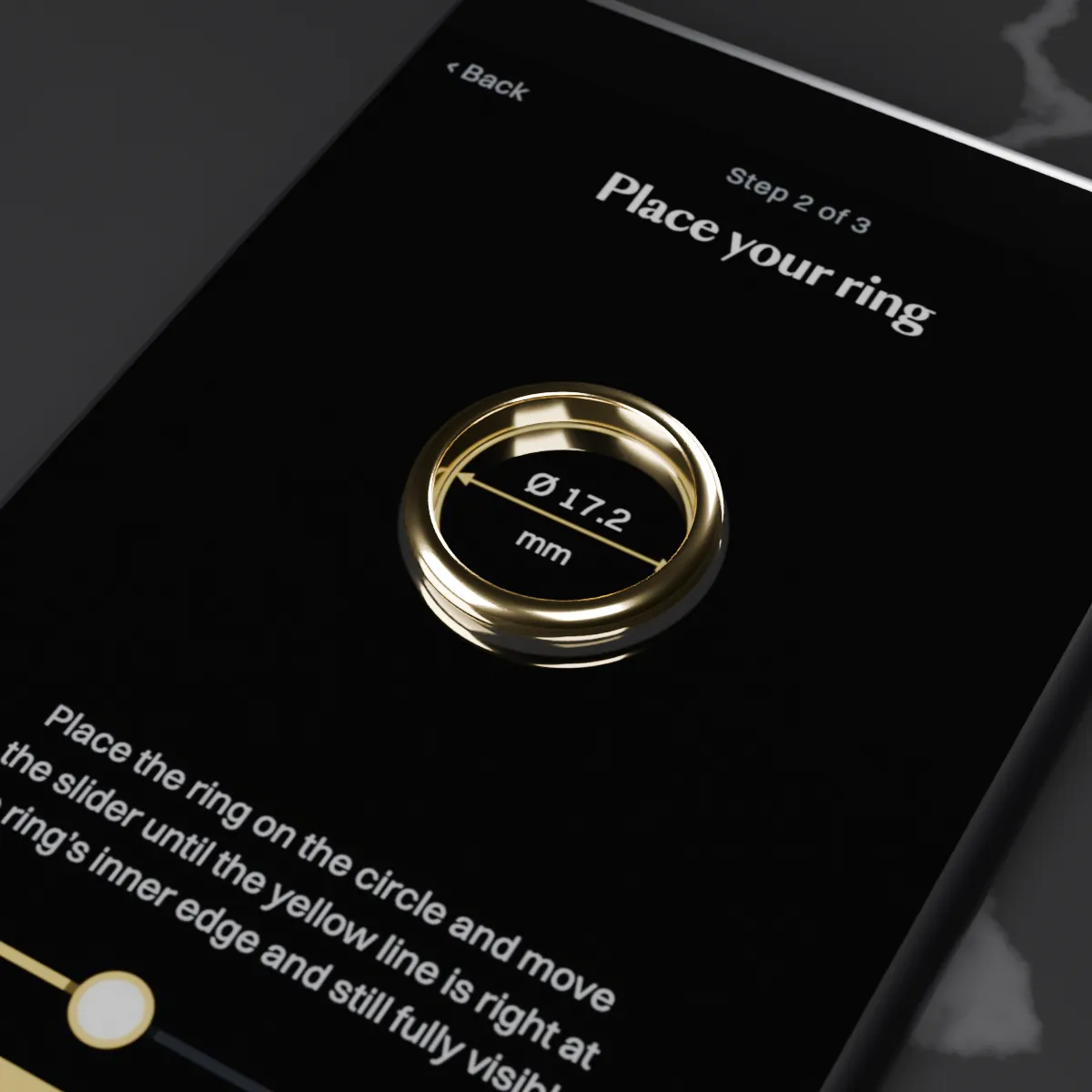
- Calibrate your screen: Place a card the size of a credit card or a €2 coin on the outline and move the slider until the yellow line sits right at its edge and is still fully visible. The setting is saved in this browser.
- Place your ring: Lay the ring flat on the circle and move the slider until the yellow line sits right at the inner edge of the ring and is still fully visible.
- Read your size: Select “Show ring size” to see your size in all common systems.
Tips for an Accurate Measurement
- Use a ring that fits well on the intended finger, lies flat on the screen and ideally has a flat inside rather than a rounded comfort-fit profile.
- Look straight at the screen, not at an angle.
- If the ring covers the yellow line, the circle is too large. If there is a gap between the line and the ring, it is too small. Use − and + for fine adjustment.
- On your phone, do not pinch to zoom the page.
- Measured with a strip of paper? The length is the inside circumference: in millimeters, it equals the German size (1 inch = 25.4 mm). Our ring size chart converts it to all common systems.
Already Know Your Ring Size?
Would you like a ring in your size or a piece of custom jewelry based on your own design? Email us.
Need your size in another system? Our international ring size chart converts it.
Measuring Your Ring Size: FAQ
How accurate is the on-screen measurement?
When carefully calibrated, the tool measures reliably: the deviation is usually less than half a millimeter in circumference, which is less than half a size in the German system. What matters is a well-fitting ring and looking straight at the screen. The tool is a guide only and not binding; the size you enter when ordering is the one that applies. If you want to be completely sure, double-check with a ring sizer or have your size determined by a jeweler or goldsmith.
Why do I need to calibrate my screen?
Screens have different pixel densities, and your browser does not know the actual size of your screen. A card the size of a credit card and a €2 coin both have standardized dimensions, so either one lets you calibrate the display to show real millimeters. The setting and your last result are stored only in your browser and are not transmitted to us. After clearing your browser data, in a private window or on another screen, you will need to calibrate again.
Can I measure my ring size with my phone?
Yes. On a phone, too, it is best to calibrate with a card the size of a credit card: it is longer than a €2 coin, which makes the calibration more accurate. It is fine if the card extends past the right edge of the screen. Do not pinch to zoom the page, or the display will no longer be accurate.
How do I measure my ring size without a ring?
With a narrow strip of paper: wrap it around your finger where the ring will sit, snugly but not too tight. You should still be able to slide the strip over your knuckle. Mark where it overlaps. The length in millimeters up to the mark is your German ring size. You can find other size systems in our ring size chart. We do not recommend using a thread or string, as it can stretch and give an inaccurate result.
What should I do if I am between two sizes or want to order a wide ring?
Choose the larger size. For wide rings of about 1/4 in (6 mm) or more, such as signet rings, we recommend going up a quarter to half a US size. We are happy to advise you personally.